III. Performance data of a computer
3. Computer systems
Performance data of a computer
Processor, memory and hard drive
Text for the video

Processor
There is a lot of work to be done in a kitchen. To ensure that customers receive their food on time, the chef has to work quickly. He/she should cut the potatoes as quickly as possible, portion the rice efficiently, etc.
In a computer, this work is done by the processor. A fast processor ensures that calculations are completed quickly. This is important so that our movie or game runs smoothly and we don't have to wait forever when editing our vacation video. The higher the specified gigahertz value (GHz), the more cycles the processor runs through per second (3.2 GHz means that the processor runs through 3.2 billion switching cycles per second). A processor has several cores that can work in parallel. Gibt es an einem Abend nur eine Möhre zu schneiden, bringen natürlich auch viele Köch*innen nichts. The same applies to many processor cores only make sense if they can also be used in parallel. We are typically talking about dual-core (2 processor cores), quad-core (4 processor cores) or octa-core (8 processor cores).
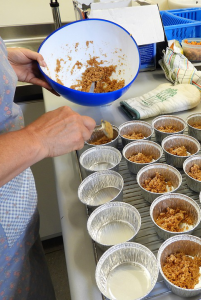
Memory (RAM)
There are also plenty of work surfaces in a kitchen. These are important so that a few plates can be left half-finished before they can be delivered. In our computer, the memory (RAM) takes on this role. If there is not enough workspace, some of the data must be moved to cabinets. If there is not enough memory, some of the data is swapped to the hard disk or written back to it.
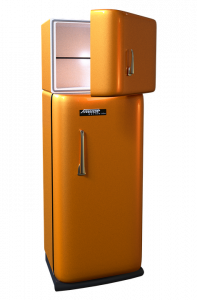
Hard drive
Large storage cupboards help to store the many supplies you have in a kitchen. A large hard drive is then relevant for the computer if we have large video or image archives, for example. Here, speed plays a subordinate role. However, there are differences in the speed of storage: we notice it immediately if we have an SSD (SSDs (Solid State Drives) are storage media without moving parts) instead of a traditional HDD (HDDs (Hard Disk Drives) store data on rotating magnetic disks), because the computer starts up or programs load much faster.
Size of hard drives
To get an idea of how much space a terabyte of storage offers, try the following calculation.
Explanation of the solution
We can store approximately 330,000 photos (at 3MB per photo).
One TeraByte corresponds to 1000 GigaBytes, each GigaByte in turn corresponds to 1000 MB. This means that we have a total of 1,000,000 MB to store our photos. In real operation, we “lose” a few GigaBytes because our computers usually calculate with a factor of 1024 (= 2 to the power of 10) GigaBytes per TeraByte etc.) instead of 1000 GigaBytes per TeraByte, 1000 MegaBytes per GigaByte, ....